How to play Reroute on Poki
Checked
You buy a tower, drop it on a hex, and the enemy road bends around it. The longer that road stays inside your towers, the longer the castle lives.
What you are defending
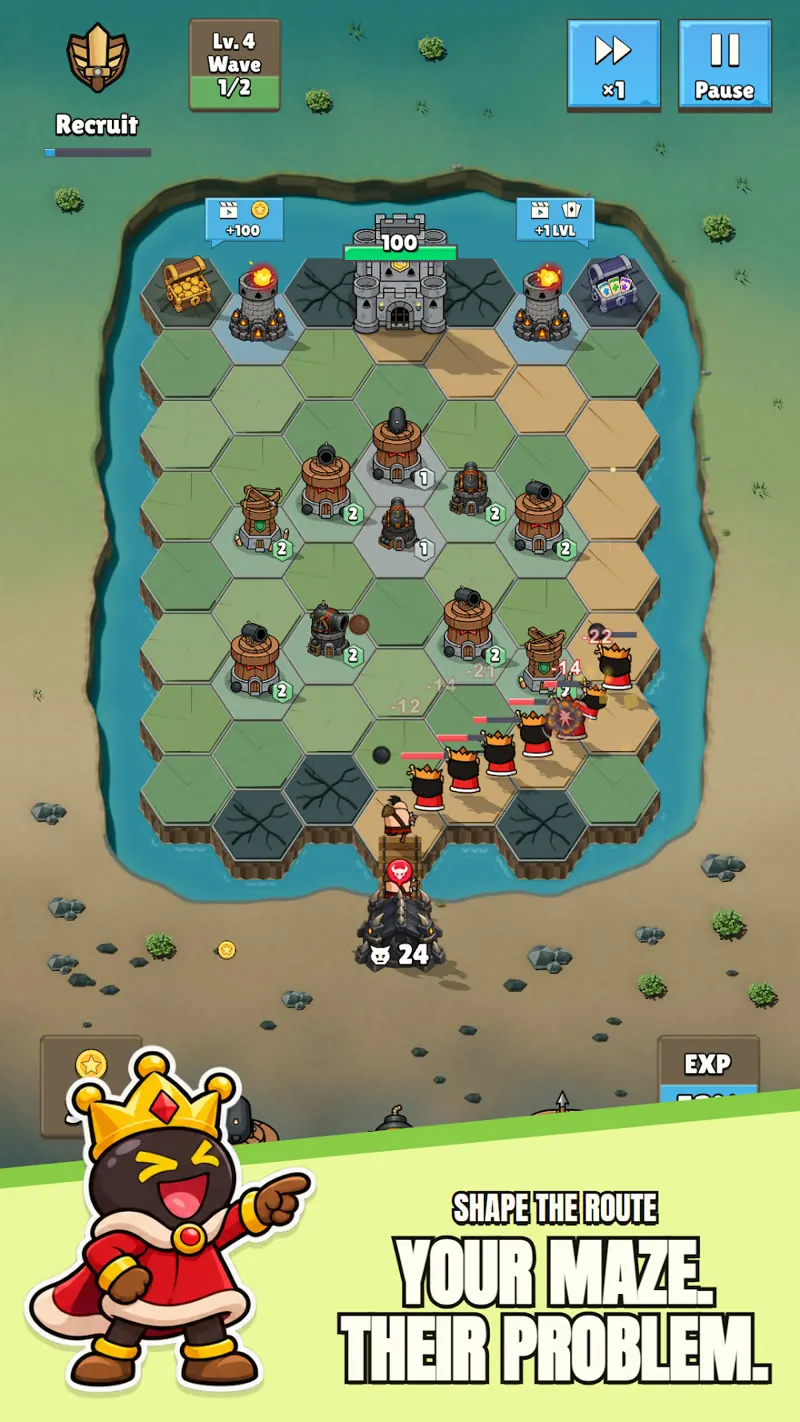
Enemies leave a spawn gate and follow a sandy path toward the castle. When one arrives, the castle health drops. Store screenshots show readings such as 100, and 46 out of 83, plus floating damage such as −18. A LogixGenic run shows the same health bar. I will not write a max-health number, because the two screenshots do not agree and neither source supplies a complete written failure rule. The footage and store art establish the health bar and damage indicators; an exact starting-health or game-over formula is not provided.
Buy, move, sell
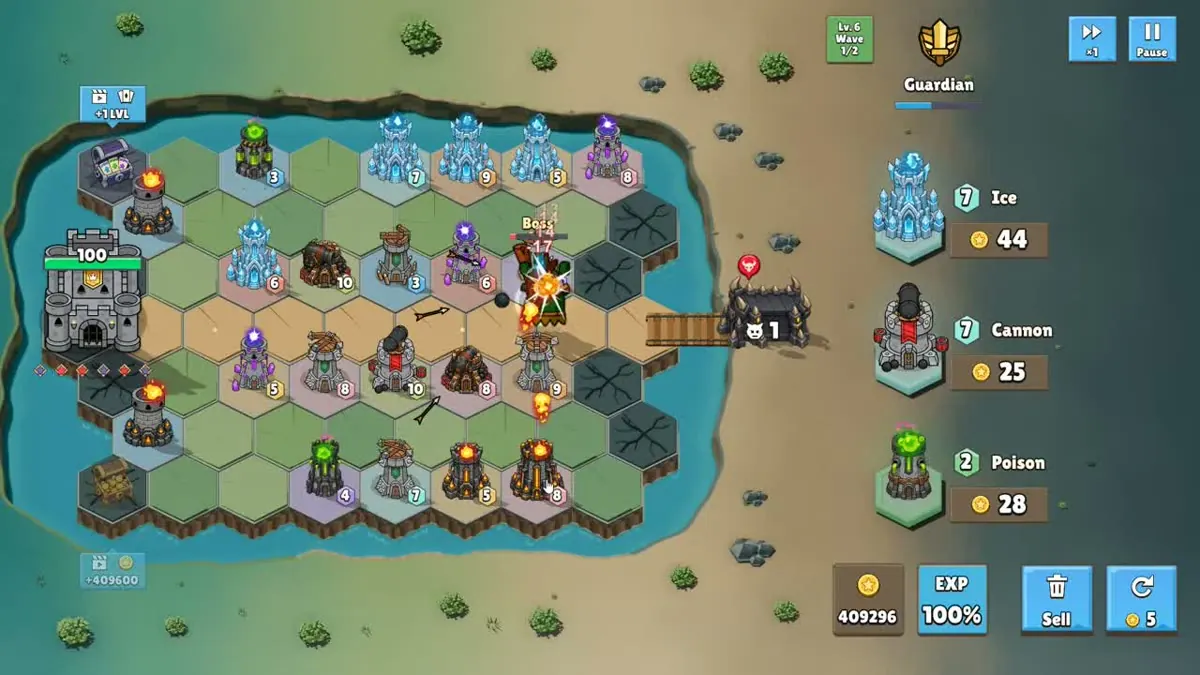
- Click or tap a shop card to place that tower on an open hex. Each card shows the tower, a shop level, and a coin price.
- Click and hold a placed tower to drag it. Poki states this in one sentence, and the video shows the same drag.
- A Sell control returns coins. The exact refund rate is not printed anywhere I could find, so I leave it blank.
- The shop’s round arrow is priced at 5 coins in the video. I think that is a reroll. I do not list it as a confirmed button, because no caption says so.
Bending the path into a kill zone
Poki’s own line is that every tower attacks and redirects the path. The Play listing tells you to make the enemy road as long as you can, and that the road always stays open. A kill zone, in that wording, is a fold where the same stretch of road sits inside several towers. The original editorial drawings below illustrate three route concepts: a straight lane, a detour and a folded lane.
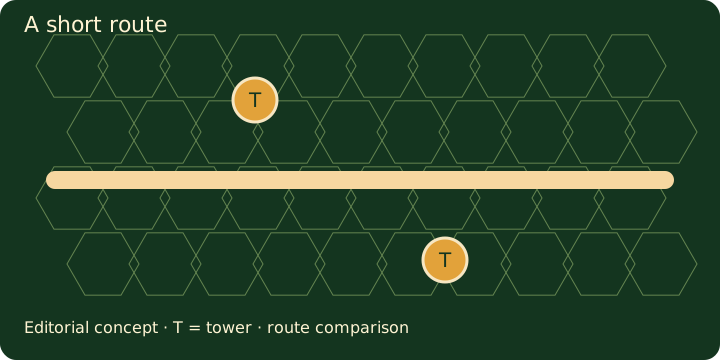
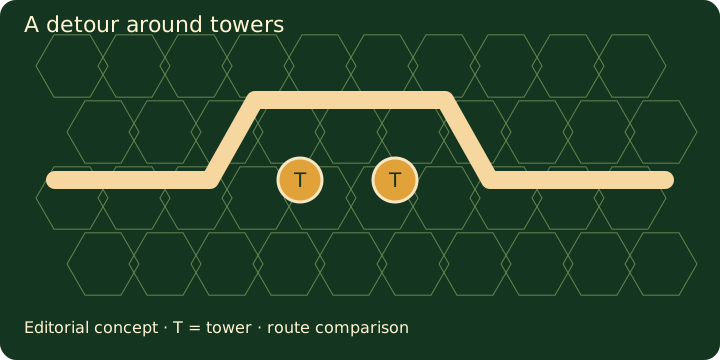
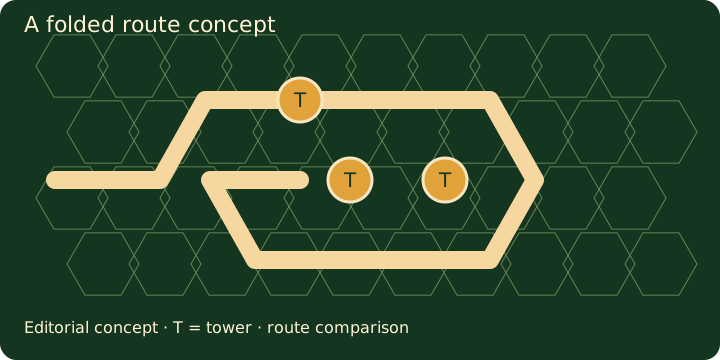
My planning rule, labeled as a judgment: place the first towers where they force a detour, not where they merely sit beside a straight road. A straight road lets each enemy pass a tower once. A fold makes the same enemy walk the covered tiles again. That is the whole trick the public text supports. Before adding or merging a tower, compare the resulting road with the previous route. A higher tower level and a longer route address different parts of the defense; their exact tradeoff depends on stats the public sources do not provide.
Waves, cards, and the Power burst
The video labels levels as Lv.N and waves as x/y, with two or three waves on the levels that appear, from level 1 through level 19 in that one run. After waves, three upgrade cards appear. Official store art also shows a Claim All button, so I describe the choice as “pick one, and the store art also offers Claim All,” not as a single rule. Each card names a tower and a shop level. It raises what the shop sells next. It does not level one tower already on the field. The merge page covers ranks and that card in more detail.
Play’s description says to fire the Power burst when the pressure is on. The video shows a full-screen burst with an explosion. I will not call it a board clear. The developer listing and the public gameplay show that a burst exists; official screenshots are part of the same developer source. Only the footage shows the effect, and it does not spell out the damage.
Coins pay for towers. The footage also shows a +100 coin chest, a card chest, and a +1 level chest. Pause and a ×1 / ×2 control sit at the top right of that same video, which is enough to plan a move between waves. Shield waves are the one matchup with a written answer: the Play text says Poison melts shields. The other modifier names have no written effect. See bosses and modifiers and the Poison tower entry.
| First towers | Any tower occupies one hex and bends the road | Spend cheap Cannon or Ballista placements on bends before buying the expensive element towers |
| A straight lane | A short road means less time under fire | Drag a tower into the lane so the path has to go around it |
| Shield shown | Poison is the only written counter | Keep a Poison tower where the folded road passes |
| After a wave | Cards raise shop level; Claim All is on the store art | Read the shop level on the card before spending the pick |
FAQ
How do you move a tower in Reroute?
Poki says click and hold to move a tower. The gameplay video shows the same drag, and the Play text says you can move or swap towers at any time.
What is the kill zone?
It is the stretch of road you fold so several towers cover the same enemies. Poki uses that phrase. No source gives a measured layout.
Do you download Reroute to play on Poki?
No. The Poki page says no downloads and no login. The Android app is a separate install on Google Play.
Sources
- Poki — Reroute — checked 2026-11-10
- Google Play listing — checked 2026-11-10
- LogixGenic gameplay — checked 2026-11-10